Nav4AI
AllAI AgentAWS Quick
AWS Quick

AWS Quick

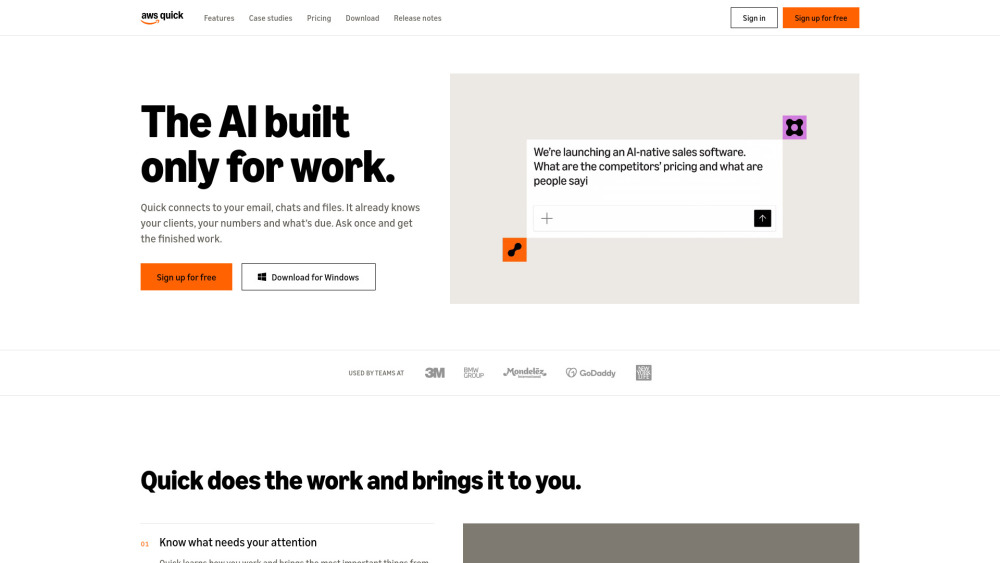
AI work assistant that connects apps, answers questions, and creates deliverables.

AWS Quick screenshot

Reviews of AWS Quick

4.1
Pro

AWS Quick is handy for turning scattered email, Slack, files, and CRM context into drafts, docs, and follow-ups without constant tab switching.

Con

The pitch is broad enough to need its own assistant, and the $100 Max tier may feel steep if Flows don’t replace real busywork.

Introduction

AWS Quick is a work AI assistant that pulls context from email, chat, files, calendars, and business apps to help you act faster. It suits busy teams, sales reps, and operators who need one place to catch up, ask questions, draft replies, build docs or sheets, and automate routine follow-ups without jumping between tools.

What is the most typical application scenario of AWS Quick?

A sales rep can use AWS Quick to pull account context from email, Slack, Salesforce, and files, draft outreach, and automate follow-ups without switching tools.

Features of AWS Quick

    Unified work feed for tasks, messages, updates, and priorities

    Answers questions using connected apps, files, and business data

    Generates documents, spreadsheets, presentations, and simple web apps

    Automates repeatable tasks with Flows across integrated tools

    Supports Slack, Gmail, Salesforce, Microsoft 365, QuickBooks, and more

Use cases for AWS Quick

    Catch up on key messages and find urgent action items quickly

    Prepare sales outreach and discovery calls with connected account context

    Research companies using internal files, app data, and current information

    Create client-ready docs, decks, and spreadsheets from a prompt

    Send invoice follow-ups and automate routine operations work

Pricing info of AWS Quick

Freemium

Public pricing information collected from the official website.

quick.aws.com Pricing

Free

$0 /user/month
  • Quick on your desktop: proactive AI across email, messaging, and local files
  • Chat about any topic or task: your AI assistant for everyday work
  • Research anything in depth: analysis and reports
  • Turn conversations into deliverables: create docs, sheets, decks, and apps
  • Automate the repetitive stuff: Flows that handle your daily busywork
  • Turn ideas into real apps: production-ready web apps
  • Connect the tools you already use: Slack, Email, QuickBooks, and more
  • No credit card needed
Limits: Free for everyone

Plus

$20 /user/month billed annually
  • Everything in Free
  • Shared Spaces for your team: knowledge, agents, and automations that compound across people
  • Quick works where you work: browsers and Microsoft 365 extensions
  • Scale when you’re ready: user management, centralized billing, up to 300 users, 10 GB storage per seat
Limits: For teams of up to 300 who need collaboration and user management · Up to 300 users · 10 GB storage per seat

Max

$100 /user/month billed annually
  • Everything in Plus
  • 5x more usage: stay in flow and get more done with higher capacity
  • 5x index storage: bring more of your organization’s knowledge into every answer
Limits: For frequent users who need more usage capacity · 5x more usage · 5x index storage

Last checked Nov 23, 2026. Visit the official website for the latest terms.