
Nav4AI
AllImageimagerework
imagerework

imagerework

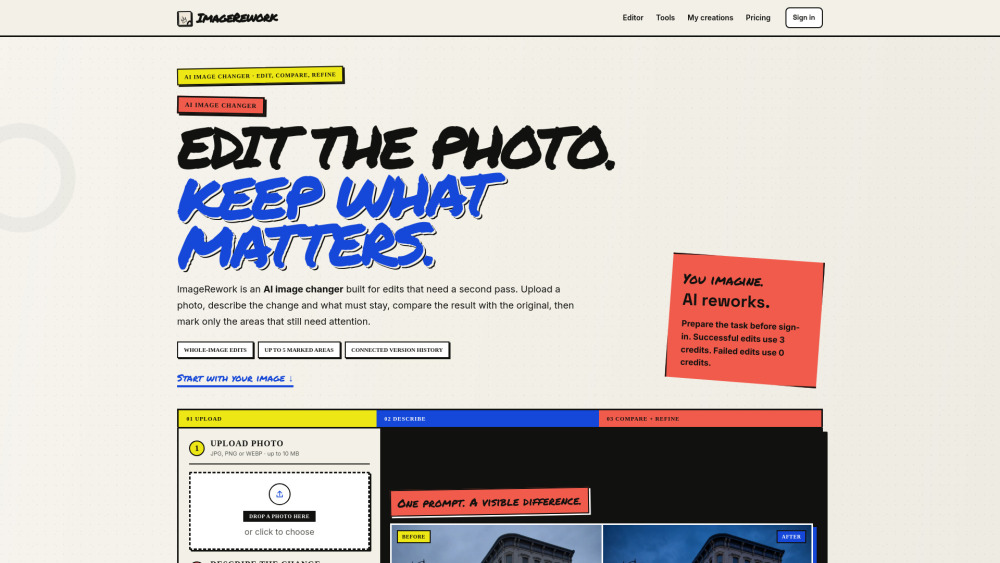
Prompt-based AI photo editor with comparison and refinements

imagerework screenshot

Reviews of imagerework

4.1
Pro

ImageRework makes prompt-based product photo fixes feel approachable, with side-by-side comparisons and marked-area refinements built for fast ecommerce edits.

Con

The credit math is tidy, but locking clean downloads to monthly plans makes the one-time packs feel like buying a camera with the lens cap glued on.

Introduction

ImageRework is a handy prompt-driven photo editor for creators, marketers, and ecommerce teams who need quick fixes without opening a complex design app. Upload an image, describe what to change or preserve, compare versions, then mark specific areas for refinement. It’s useful for cleaning product shots, swapping backgrounds, or testing new moods.

What is the most typical application scenario of imagerework?

An ecommerce marketer can upload product photos, prompt background and lighting fixes, compare versions, and refine spots to create polished listing images faster.

Features of imagerework

    Edit uploaded JPG, PNG, or WEBP images using simple text prompts

    Compare original and edited images side by side before saving

    Refine up to five selected areas after the first AI edit

    Keep connected edit history so earlier versions stay accessible

    Pay credits only when a successful result is saved

Use cases for imagerework

    Create studio-style or campaign backgrounds for product photos

    Remove messy objects while rebuilding the hidden surface naturally

    Adjust lighting, mood, or colors without changing the main composition

    Turn photos into sketches, posters, or other visual styles

    Iterate on saved AI edits while preserving previous versions

Pricing info of imagerework

Freemium

Public pricing information collected from the official website.

imagerework.com Pricing

ImageRework PRO

$9.90 / month
  • Watermark-free current and saved downloads
  • Whole-image changes and marked-area refinements
  • Unused credits stay in the account balance
  • Manage or cancel through Stripe
Limits: 100 credits after signup and every paid renewal · About 33 successful edits at 3 credits each · A successful whole-image edit or marked-area refinement uses 3 credits · Failed or timed-out work uses none

ImageRework STUDIO

$29.90 / month
  • Watermark-free current and saved downloads
  • Whole-image changes and marked-area refinements
  • Unused credits stay in the account balance
  • Manage or cancel through Stripe
Limits: 600 credits after signup and every paid renewal · About 200 successful edits at 3 credits each · A successful whole-image edit or marked-area refinement uses 3 credits · Failed or timed-out work uses none

STARTER

$7 one time/one-time
  • Whole-image changes
  • Marked-area refinements
  • Saved project history
  • No charge for failed results
Limits: 70 credits · About 23 successful edits at 3 credits each · Protected download unless a monthly plan is active

CREATOR

$29 one time/one-time
  • Whole-image changes
  • Marked-area refinements
  • Saved project history
  • No charge for failed results
Limits: 700 credits · About 233 successful edits at 3 credits each · Protected download unless a monthly plan is active

STUDIO

$59 one time/one-time
  • Whole-image changes
  • Marked-area refinements
  • Saved project history
  • No charge for failed results
Limits: 2000 credits · About 666 successful edits at 3 credits each · Protected download unless a monthly plan is active · Paused for cost review

Signup credits

6 credits on us
  • Try the editor
Limits: 6 credits on us · Two successful edits after signup · Whole-image edit: 3 credits after success · Marked-area refinement: 3 credits after success

Last checked Jul 17, 2026. Visit the official website for the latest terms.