
Nav4AI
AllDesign & ArtInteriorAID
InteriorAID

InteriorAID

AI interior design tool for photorealistic room concepts and redesigns

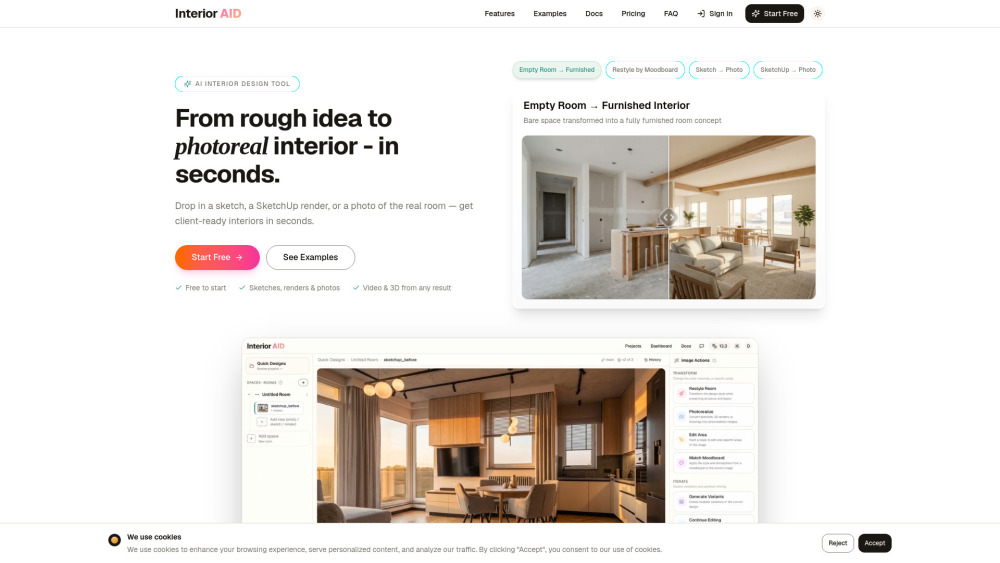
InteriorAID screenshot

Reviews of InteriorAID

4.2
Pro

InteriorAID makes it easy to turn room photos, sketches, or SketchUp views into polished redesign concepts clients can react to quickly.

Con

The free plan is more of a showroom sample than a workspace, with watermarks and only a few high-quality transformations before tokens vanish.

Introduction

InteriorAID is a practical AI design workspace for turning room photos, sketches, SketchUp views, or moodboards into polished interior concepts. I’d recommend it to designers, architects, visualizers, and renovators who need fast style options, targeted edits, walkthrough videos, or explorable 3D scenes before committing to a direction.

What is the most typical application scenario of InteriorAID?

An interior designer can use InteriorAID to turn a client’s room photo or SketchUp view into photorealistic redesign options for faster approvals.

Features of InteriorAID

    Convert sketches, renders, or room photos into realistic interior visuals

    Create style variations from text prompts, references, or moodboards

    Edit selected areas with masking, inpainting, and object removal

    Turn interior concepts into cinematic walkthrough videos

    Build navigable 3D room scenes with Gaussian Splatting

Use cases for InteriorAID

    Help interior designers present multiple client-ready concepts quickly

    Let architects polish early room views for design presentations

    Speed up visualizer workflows for restyling and approval rounds

    Help homeowners preview renovation styles before buying furniture

Pricing info of InteriorAID

Freemium

Public pricing information collected from the official website.

interioraid.app Pricing

Free

$0/forever
  • Full access to all AI design tools
  • Transform SketchUp renders into photorealistic interiors
  • Redesign interiors with AI
  • Style transfer and mood-based design
Limits: 20 tokens (one-time) · 3 high-quality transformations · Store up to 20 images on our servers (inputs and outputs combined) · Watermarked outputs

Hobbyist

$10/month
  • Full access to all AI design tools
  • Transform SketchUp renders into photorealistic interiors
  • Transform drawings into photorealistic interiors
  • Redesign interiors with AI
  • Style transfer - apply styles from reference images
  • Image inpainting - replace or add objects in the masked areas
  • Object removal - remove unwanted objects from interiors
  • Secure project storage
Limits: 400 tokens/month · Up to 60 high-quality transformations/month · Store up to 200 images on our servers (inputs and outputs combined)

Pro

$30/month
  • Full access to all AI design tools
  • Transform SketchUp renders into photorealistic interiors
  • Transform drawings into photorealistic interiors
  • Redesign interiors with AI
  • Style transfer - apply styles from reference images
  • Image inpainting - replace or add objects in the masked areas
  • Object removal - remove unwanted objects from interiors
  • Secure project storage
Limits: 1600 tokens/month · Up to 242 high-quality transformations/month · Store up to 800 images on our servers (inputs and outputs combined)

Token Pack

$8 one-time/one-time
  • Top up any time with a token pack
  • Your monthly subscription tokens are used first — pack tokens kick in once those run out
Limits: 400 tokens · ≈ 60 high-quality transformations · One-time purchase · Never resets each month

Last checked Jul 19, 2026. Visit the official website for the latest terms.